您现在的位置是:网站首页> 编程资料编程资料
ASP.NET生成验证码的方法_实用技巧_
 2023-05-24
500人已围观
2023-05-24
500人已围观
简介 ASP.NET生成验证码的方法_实用技巧_
本文实例为大家分享了ASP.NET生成验证码的具体代码,供大家参考,具体内容如下
首先,添加一个一般处理程序

注释很详细了,有不懂的欢迎评论
using System; using System.Collections.Generic; using System.Drawing; using System.Linq; using System.Web; using System.Web.SessionState; namespace Project_Practice { /// /// Handler1 的摘要说明 /// public class Handler1 : IHttpHandler,IRequiresSessionState { public void ProcessRequest(HttpContext context) { //选取的颜色 Color[] colors = { Color.White }; //通过Bitmap构造Image Image img = new Bitmap(100, 60); //Graphics绘画Image Graphics graphics = Graphics.FromImage(img); Random random = new Random(DateTime.Now.Millisecond); //验证码的四位数 int charNum1 = random.Next('0', '9' + 1); int charNum2 = random.Next('0', '9' + 1); int charNum3 = random.Next('0', '9' + 1); int charNum4 = random.Next('0', '9' + 1); //把生成的随机数变成字符串,通过char进行转换 string validCode = string.Format($"{(char)charNum1}{(char)charNum2}{(char)charNum3}{(char)charNum4}"); //放进Session进行存储,记得继承接口,否则疯狂报空指针 context.Session["verification_Code"] = validCode; //字体的大小和类别 Font font = new Font("宋体", 24); //随机的颜色 Brush brush1 = new SolidBrush(colors[random.Next(0, colors.Length - 1)]); //DrawString的四个参数,第一个是要写的字符,第二个是字体,第三个是颜色,第四个是坐标x,y graphics.DrawString(((char)charNum1).ToString(), font, brush1, 7, -3); Brush brush2 = new SolidBrush(colors[random.Next(0, colors.Length - 1)]); graphics.DrawString(((char)charNum2).ToString(), font, brush2, 26, -9); Brush brush3 = new SolidBrush(colors[random.Next(0, colors.Length - 1)]); graphics.DrawString(((char)charNum3).ToString(), font, brush3, 50, 0); Brush brush4 = new SolidBrush(colors[random.Next(0, colors.Length - 1)]); graphics.DrawString(((char)charNum4).ToString(), font, brush4, 70, -7); //保存,格式 context.Response.ContentType = "image/jpeg"; img.Save(context.Response.OutputStream, System.Drawing.Imaging.ImageFormat.Jpeg); //释放资源 graphics.Dispose(); img.Dispose(); } public bool IsReusable { get { return false; } } } }一个web窗体
<%@ Page Language="C#" AutoEventWireup="true" CodeBehind="verification_Code.aspx.cs" Inherits="Project_Practice.verification_Code" %>
效果图
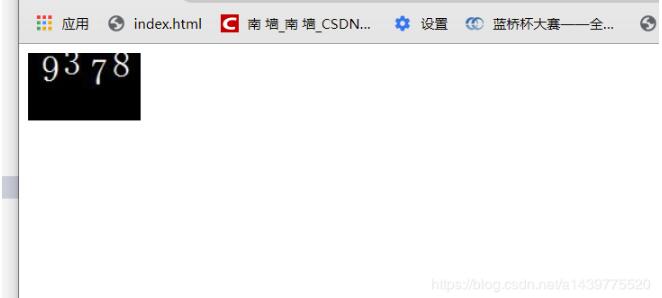
以上就是本文的全部内容,希望对大家的学习有所帮助,也希望大家多多支持。
您可能感兴趣的文章:
相关内容
- ASP.NET实现图片自动添加水印_实用技巧_
- ASP.NET Core自定义中间件如何读取Request.Body与Response.Body的内容详解_实用技巧_
- asp.net mvc core管道及拦截器的理解_实用技巧_
- .net core 3.1在iis上发布的踩坑记录_实用技巧_
- 关于.NET Attribute在数据校验中的应用教程_实用技巧_
- Asp.net Core中实现自定义身份认证的示例代码_实用技巧_
- 使用VSCode开发和调试.NET Core程序的方法_实用技巧_
- ASP.NET Core MVC获取请求的参数方法示例_实用技巧_
- ASP.NET中AJAX的异步加载(Demo演示)_实用技巧_
- ASP.NET通过更改Url进行页面传值的实现代码_实用技巧_